
HengOngBet Blog
HengOngBet Casino App Update Prompts Malaysia - How to Tell Real From Fake
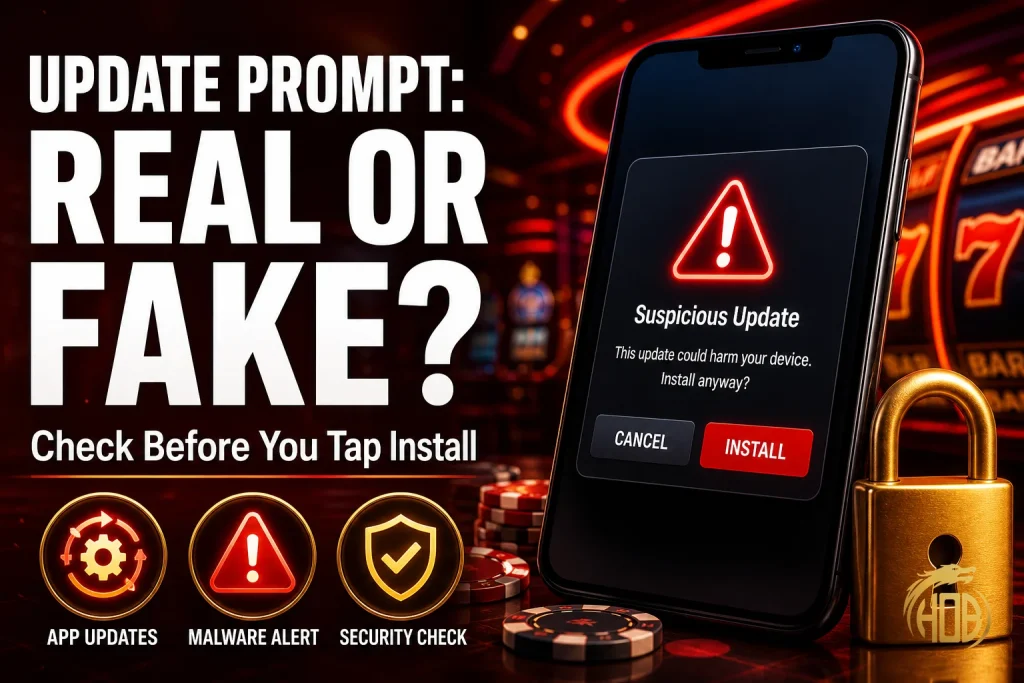

You already know casino apps in Malaysia don’t live on the Play Store, so you’re used to installing updates from links your platform sends you directly. That habit is exactly what scammers are now exploiting. A message that looks like your casino app needs an update isn’t just a nuisance if it’s fake — it’s usually the first step of a banking trojan installation, and because you’re already trained to expect update links from outside the Play Store, the fake version doesn’t look out of place at all.
Why Casino Apps Are a Bigger Target for This Specific Scam
Banking apps and most mainstream apps update themselves automatically through the Play Store — there’s no link to click, no file to install manually. Casino apps in Malaysia work differently. Because they’re not listed on Google Play, every update genuinely does arrive as a manual download, either inside the app itself or through a link the operator sends you.
That difference matters because it removes your best natural defence. With a Play Store app, “click this link to update” is an instant red flag. With a casino app, it’s just Tuesday. Scammers know this, and Malaysia’s national cybersecurity authority has already documented a campaign built specifically around it.
The MaxTag Playbook: How This Scam Actually Works
MyCERT’s advisory MA-1451.062026, published 6 June 2026, describes an active Android banking-trojan campaign running under three different disguises — Delivery4U (parcel lures), KerjaExpress (job-offer lures), and MaxTag, which specifically impersonates fake app-store or app-update prompts. All three funnel into the same underlying malware family, RizalProtect/RizalVA, and the advisory names Maybank (MAE) and CIMB (Octo) users as the most consistently targeted, with Touch ‘n Go eWallet also flagged as a target.
The mechanism is identical across all three disguises: the victim taps a link, sideloads an APK, and is then asked to grant Accessibility permission — the single permission that lets the malware read your screen, intercept OTP and TAC codes, and initiate transactions without your knowledge. The lure is just packaging. The attack itself doesn’t start until you grant that permission.
| Signal | 🛡️ Real App Update | 🚨 Fake Update Prompt |
| Where it arrives | Inside the verified app itself, or via your bookmarked official portal. | Unsolicited SMS, WhatsApp, or Telegram broadcast messages. |
| URL / Domain | Direct download from the operator’s verified official domain. | URL shorteners (e.g., bit.ly, tinyurl) or slightly altered typosquatted domains. |
| Urgency Level | Standard release notes; updates at user convenience. | High Pressure: Demands immediate action with threats of account suspension. |
| Permissions Requested | Retains standard baseline permissions without new high-risk prompts. | Dangerous Additions: Demands Accessibility Services, SMS, or Notification overlays. |
| Delivery Trigger | Internal client updater or official manual check. | Sent from random numbers, bot channels, or forwarded contacts. |
Register at HengOngBet now and bookmark the official download page directly in your browser — that one habit removes the need to ever tap an update link sent to you by someone else.
The Accessibility Permission Red Flag
This is the detail worth remembering above everything else in this post: a legitimate casino app update does not need to ask for Accessibility Service access it didn’t already have. Accessibility was built for screen readers and other assistive tools — it lets an app see everything on your screen and simulate taps on your behalf. That’s precisely why MyCERT’s advisory flags it as the single permission the RizalProtect/RizalVA family depends on to intercept OTPs and initiate transactions.
If an “update” — for a casino app, a bank app, or anything else — suddenly asks you to turn on Accessibility for a feature that had nothing to do with screen reading before, stop and treat it as malicious until you’ve verified it directly with the operator through a channel you found yourself, not one the message gave you.
Step-by-Step: How to Check If a Casino App Update Is Real
- Never tap the update link inside the message. Close the message. Open your browser and go to the operator’s official site by typing the address yourself, or open the app you already have installed and check its own settings menu for an update notice.
- Compare version numbers. Check the version currently showing in the app’s own “About” or settings screen against what the operator’s official channel says is the latest release. A mismatch is normal and expected; a demand to update *right now* through an unfamiliar link is not.
- Check the domain carefully. Fake update pages often use a domain that’s one character off from the real one, or a generic shortened link that hides the destination entirely. If you can’t see the full domain before tapping, don’t tap it.
- Watch what permission it asks for. A genuine app update should not suddenly request Accessibility, SMS reading, or notification access it didn’t need in the version you already have installed.
- When in doubt, contact the operator through their listed customer support — found on their own site, not through the update message.
join for free today and save the official app’s support contact number in your phone now, before you’re rushed into a decision by a message with a countdown attached to it.
A Real Malaysian Example of the Same Trick
The specific lure changes constantly, but the mechanics repeat. In March 2026, Selangor’s Commercial Crime Investigation Department warned that scammers were disguising malicious APK files as Hari Raya open house invitations sent through WhatsApp and Telegram — a completely different disguise from a casino app update, but built on the exact same premise: an unexpected file, sent through a messaging app, that installs something the sender controls once you open it. Police stressed a rule that applies just as directly to app-update prompts as it did to festive invitations: legitimate content of any kind does not arrive as an unsolicited APK file through a chat app.
That’s the pattern to internalise, not the specific costume it’s wearing this month. Whether it’s an “update,” an “invitation,” or a “delivery notice,” the file format and delivery channel are the tell — not how convincing the wording sounds.
What to Do If You Already Tapped Install
If you’ve already installed something from a link like this and granted Accessibility permission, treat your device as compromised immediately: switch to airplane mode to cut network access, do not enter any banking passwords or OTPs on that device, contact your bank’s fraud line from a different device, and only then attempt to uninstall the app or perform a factory reset once your bank has been notified.
Start playing at HengOngBet only through channels you found yourself — official app store where available, or your bookmarked link to the operator’s real site — and treat every unsolicited update message as false until you’ve verified it independently.
Frequently Asked Questions
Do legitimate casino apps in Malaysia really update outside the Google Play Store?
Yes. Because these apps aren’t listed on Google Play, manual updates through the operator’s own site or in-app notice are normal and expected. That’s exactly why scammers can copy the format so convincingly.
What is the single biggest warning sign that an update prompt is fake?
A sudden request for Accessibility Service permission. MyCERT’s advisory on the RizalProtect/RizalVA trojan family identifies this permission as the mechanism used to intercept OTPs and initiate unauthorised transactions — a real update should never suddenly need it.
What is “MaxTag” and how is it different from other app scams?
MaxTag is one of three lure brands documented in MyCERT advisory MA-1451.062026, and it specifically disguises itself as a fake app-store or app-update prompt. It delivers the same underlying banking trojan as the other two lures, Delivery4U and KerjaExpress — the disguise changes, the malware doesn’t.
I clicked an update link and it asked for a permission I didn’t recognise — what should I do now? Do not grant it. Close the app immediately, do not enter any passwords, and if you already granted the permission, put your device in airplane mode and contact your bank’s fraud line from a separate device right away.
Can I tell a fake update is fake just by how professional it looks?
No — visual polish is not a reliable signal in 2026. The reliable checks are the channel (never trust an update link sent via SMS, WhatsApp, or Telegram), the domain (type it yourself rather than tapping), and the permission being requested.